
Unreal Engine Zen Garden Games1.0090 - Google Play
You'll be able to see results in few seconds.
Publisher Description
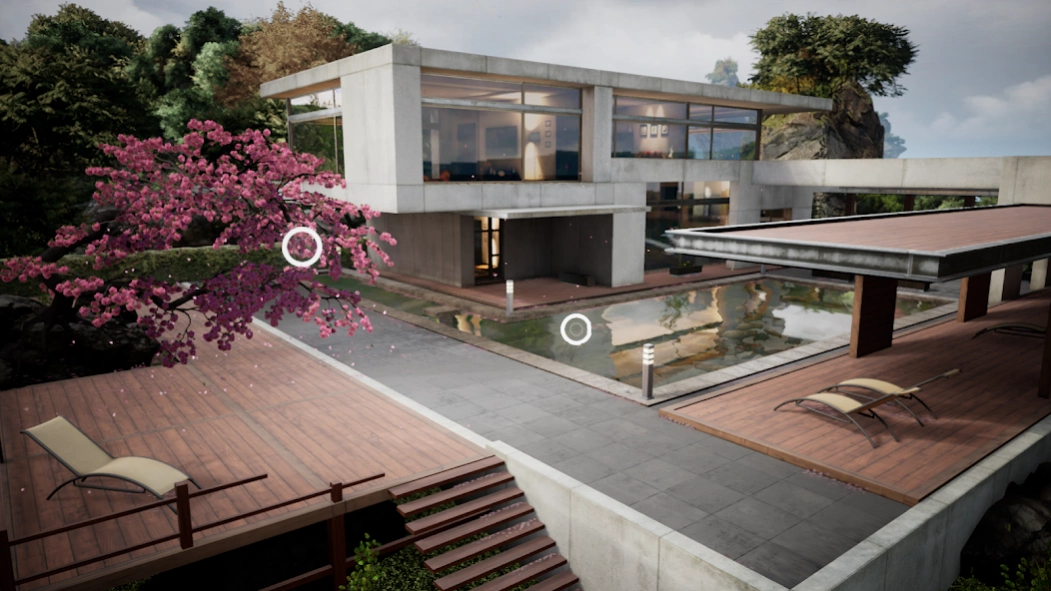


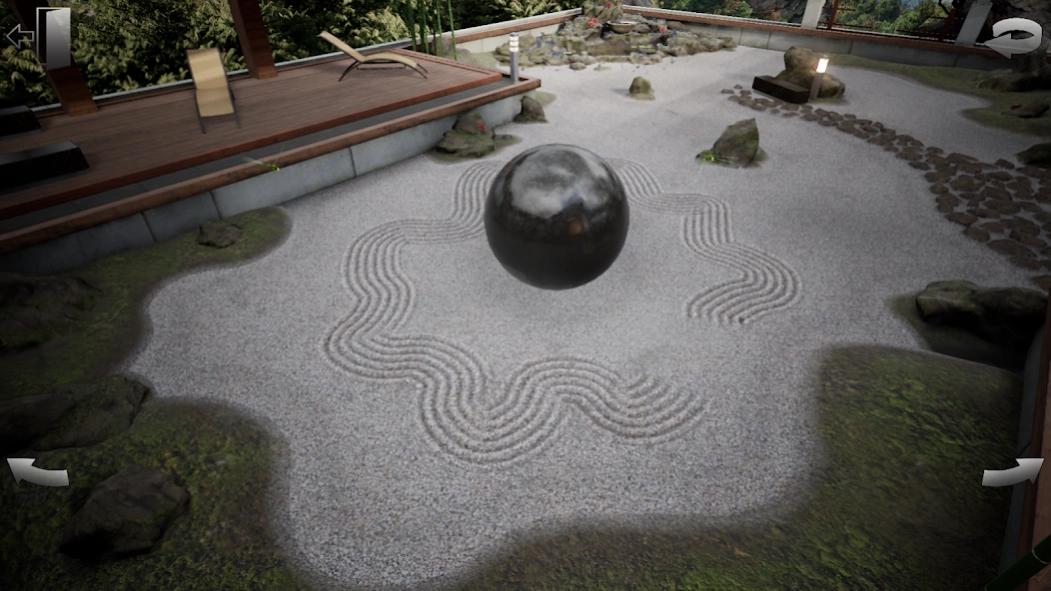
Enjoy flower games, koi pond, sand art and butterfly game with relaxing music
Unreal Engine Zen Garden Games is a collection of tranquil and serene actvities that allow you to escape the stresses of daily life and immerse themselves in a peaceful and relaxing virtual world. With stunning graphics and beautiful soundscapes, this app is perfect for anyone looking to take a break, unwind and enjoy a moment of tranquility. For those who are looking for flower games, interactive koi pond, sand art simulation or butterfly game.
One of the activities in this app is the sand art game. This feature lets players create intricate and beautiful patterns in the sand using traditional Japanese rock zen garden design. Use rakes to create patterns in the sand to create a peaceful and tranquil atmosphere. As you create your sand art in zen garden, enjoy calming music and sound effects that transport you to a serene state of mind.
Another activity in this app is the flower games. Interact with a beautiful Sakura tree and watch as the blossoms slowly unfold to create a serene and tranquil atmosphere. As you interact with the tree in zen garden, trigger different stages of its bloom, each with its unique visual effects and soundscape.
For those who enjoy being creative, the butterfly game is a must-try. This app features a serene virtual zen garden where you can play with a group of colorful butterflies that flutter around a Japanese fountain. As the fountain activates, the butterflies take to the air and fly around in a beautiful, swirling pattern, creating a sense of tranquility and calmness. In butterfly game you can interact with the butterflies by touching the screen and watching as the delicate creatures respond to their movements.
In addition, enjoy the tranquil waters of the koi pond. Sit by a peaceful pond and watch as colorful koi fish swim and play. With calming music and soothing sounds, this app is perfect for winding down after a long day. Interact with the koi fish by feeding them and watching as they eagerly swim towards their hands through the koi pond.
One unique feature of the app is the player's virtual home, which is located on a picturesque floating island. The home serves as a hub for all the games in the app and provides players with a tranquil space to unwind and relax. The island itself is beautifully designed, featuring lush gardens, tranquil waterfalls, and breathtaking views.
All of these zen games are designed to provide players with a relaxing and serene experience. The app is built using Unreal Engine, and are based on a sample provided by Epic Games, the creator of Unreal Engine.
Overall, Unreal Engine Zen Garden Games is an excellent choice for anyone looking to escape the stresses of daily life and enjoy a peaceful and serene gaming experience. With a range of engaging activities, stunning graphics, and relaxing soundscapes, this app provides a welcome break from the fast-paced world around us. Whether you're looking to unwind after a long day or simply want to take a break and enjoy some peaceful gameplay, this app is sure to provide hours of entertainment and relaxation.
About Unreal Engine Zen Garden Games
The company that develops Unreal Engine Zen Garden Games is Timur Arslanov. The latest version released by its developer is 1.0090.
To install Unreal Engine Zen Garden Games on your Android device, just click the green Continue To App button above to start the installation process. The app is listed on our website since 2024-01-15 and was downloaded 0 times. We have already checked if the download link is safe, however for your own protection we recommend that you scan the downloaded app with your antivirus. Your antivirus may detect the Unreal Engine Zen Garden Games as malware as malware if the download link to com.ArslanovTimur.ZenGarden is broken.
How to install Unreal Engine Zen Garden Games on your Android device:
- Click on the Continue To App button on our website. This will redirect you to Google Play.
- Once the Unreal Engine Zen Garden Games is shown in the Google Play listing of your Android device, you can start its download and installation. Tap on the Install button located below the search bar and to the right of the app icon.
- A pop-up window with the permissions required by Unreal Engine Zen Garden Games will be shown. Click on Accept to continue the process.
- Unreal Engine Zen Garden Games will be downloaded onto your device, displaying a progress. Once the download completes, the installation will start and you'll get a notification after the installation is finished.
Program Details
System requirements
Download information
Pricing
Version History
version 1.0090
posted on 2024-01-15
Disclaimer
Official Google Play Link
We do not host Unreal Engine Zen Garden Games on our servers. We did not scan it for viruses, adware, spyware or other type of malware. This app is hosted by Google and passed their terms and conditions to be listed there. We recommend caution when installing it.
The Google Play link for Unreal Engine Zen Garden Games is provided to you by apps112.com without any warranties, representations or guarantees of any kind, so access it at your own risk.
If you have questions regarding this particular app contact the publisher directly. For questions about the functionalities of apps112.com contact us.
